A tablet can be easy to carry. A laptop can be comfortable to work on. The difficult part is building one device that does both without making serious compromises. That is the problem the Microsoft Surface Pro 11 Copilot+ PC tablet is designed to solve.
Microsoft’s longtime Surface Pro two-in-one line has a much different look with the 11th Edition. We’re now seeing versions based on devices running the Snapdragon X chip, which adds an Arm architecture, AI functionality through a specialized neural processing unit, and some more efficient design along withMicrosoft’s new Copilot+PC abilities. Meanwhile,Microsoft has added new Surface Pro 11th Edition models targeting enterprise clients and that run on chips from Intel, complicating this two-in-one line with nothing more than a generation name in common. In the realm of portable Windows hardware alone, that name speaks of a whole lot; an 11thGen Surface Pro delivers in addition a 13-inch touch panel, adjustable kick stand, laptop focused software programs.
What Makes the Surface Pro 11 Different?
The defining feature of the Surface Pro 11 is its hybrid identity. It is technically a tablet-style computer, but its Windows 11 operating system and optional keyboard allow it to function much like a conventional notebook.
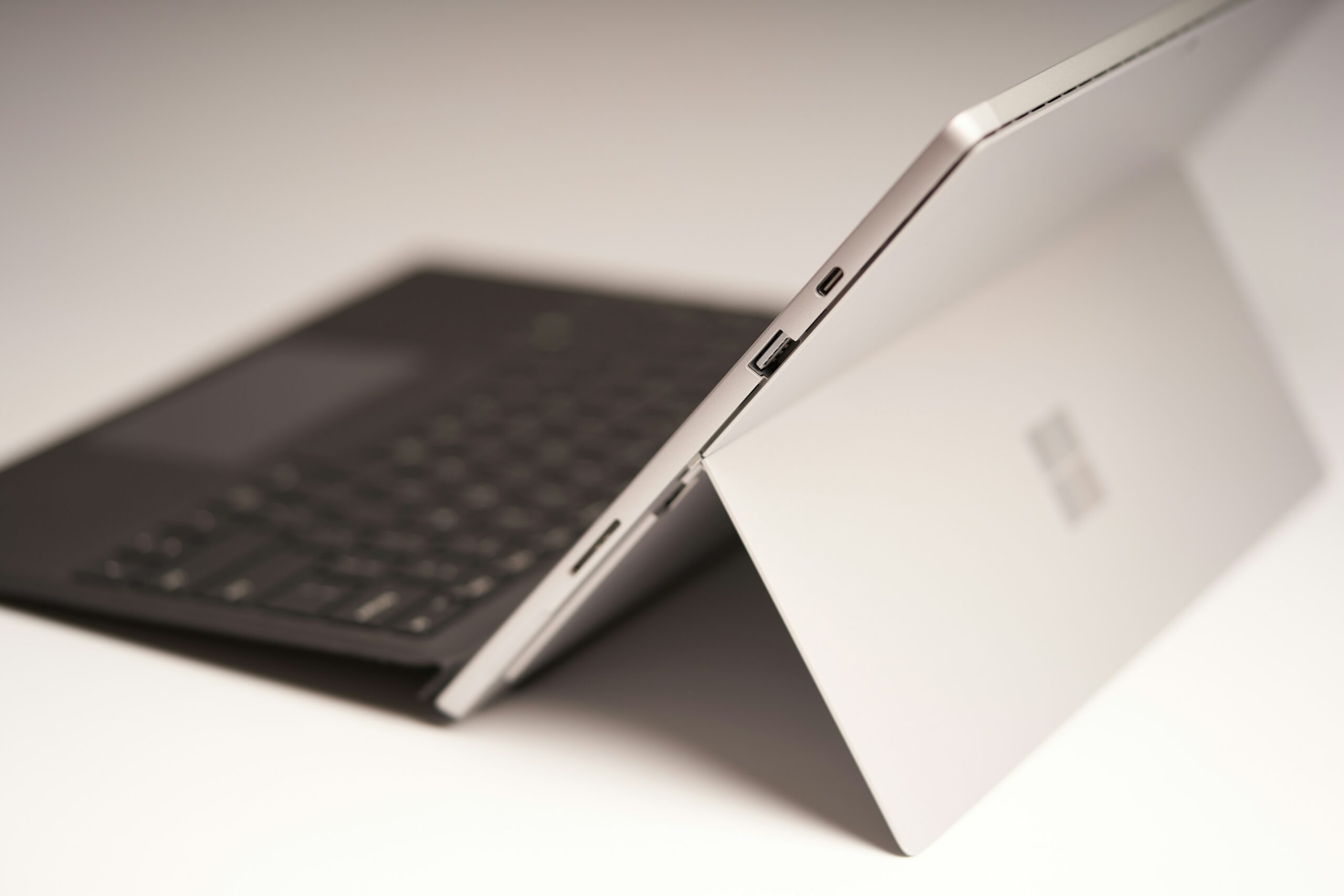
The kickstand on the back makes that work. Instead of a laptop hinge, there’s a kickstand that you can prop the Surface up with so it can be positioned for a typing stance, for watching media, for drawing/tablet use with a stylus. This has applications for people who would like a tablet for a little bit while they are at work and a laptop for another little bit, and don’t want to switch to another device.
The hardware is also quite a step up from what many might expect of a normal tablet. The devices (consumer ones) come with Snapdragon X Plus or Snapdragon X Elite chips and business ones come with Intel Core Ultra processors too.
This has a knock-on effect not just on benchmark speed, but on how well different applications will run, battery life, graphics and what type of Windows software this device is going to run best.
1. The Snapdragon Version Is Built Around AI
The “Copilot+” label is not simply another name for a Windows computer with the Copilot application installed.
Copilot+ PCs are defined by hardware capable of running demanding on-device AI workloads locally. Microsoft describes these machines as having an NPU capable of more than 40 trillion operations per second, allowing supported AI tasks to be processed efficiently on the device.
The Snapdragon Surface Pro 11 uses Qualcomm’s Hexagon NPU, rated at 45 TOPS in Microsoft’s technical documentation. The system combines the CPU, GPU, and NPU rather than expecting one processor to handle every workload.
This architecture can support features such as Windows Studio Effects, improved Windows search experiences, image-generation tools in Paint, Live Captions, automatic super resolution, and other Copilot+ experiences as they become available on supported hardware and software versions.
For ordinary users, however, the important question is not whether an NPU sounds impressive. It is whether the AI features actually improve their daily work.
Someone who regularly joins video meetings may appreciate camera and audio enhancements. A creative user may find AI-assisted image tools useful. Another buyer who mainly writes documents, browses websites, watches videos, and manages email may notice much less difference.
The NPU is therefore best viewed as an enabling component rather than the sole reason to buy the device.
2. Performance Is Strong, but Architecture Matters
The Snapdragon X platform changed expectations for Windows on Arm.
In past Windows machines built using ARM hardware you sometimes had to endure major drawbacks either in terms of speed or compatibility. The Snapdragon X silicon found inside the new Surface Pro 11 can handle a lot more and even before the device was fully launched the independent reviews that have been leaked to date say that performance for general computing is usually quite zippy, and most of the common applications don’t have that many problems run.
Not that just every Windows program will perform the same as it would on an Intel or AMD CPU.
It is possible run programs compiled for the Arm64 directly on the device, whereas compatible x86/x64 programs run by using the Windows on Arm emulation system. It runs fine in most programs which are commonly used by almost all of us but compatibility issues is one thing that anyone considering buying the device should take time to check.
The drawback is more prevalent with uncommon applications, older utilities, specialized professional software, device drivers, and a select range of graphics intensive programs where the performance is usually not as good. Some tests also say games running poorly in some cases and certain traditional x86 compatible applications do also encounter issues.
A simple rule for what to expect: Check the application that you use the most and then you can consider buying the device with the Snapdragon processor. For users relying mostly on web browsers, Microsoft 365, video conference tools, cloud applications, commonly used productivity applications or Arm capable programs, this will likely a fairly smooth ride. For those users who rely on old, uncommon and traditional professional applications, device drivers and certain specific applications, compatibility is a thing to consider beforehand not when purchasing.
3. The 13-Inch Display Is More Versatile Than Its Size Suggests
For the screen, the Surface Pro 11 packs a 13-inch PixelSense Flow touchscreen with a 3:2 aspect ratio. Depending on how the device is configured, prospective purchasers may see an LCD or an OLED panel on it.
However, it is in the latter form where the Surface Pro 11 shows off what’s likely the best display found on a Surface Pro in years, at least to the casual viewer. When it’s configured with an OLED panel, its display provides for 2880 1920 resolution, 267 pixels per inch, 120Hz dynamic refresh rates and Dolby Vision IQ support.
As we already touched on, the Surface Pro 11 uses a 3:2 aspect ratio which translates to additional vertical screen space that many users are likely to find beneficial for reading documents, scrolling long web pages, editing spreadsheets or writing and reading code.
Meanwhile, there is another factor in why OLED display may be the right choice, especially if creative activities such as video editing and streaming movies is your bag as they will appear more vivid on a screen where deeper blacks mean more dramatically displayed footage.
Then there is that reason as to why you cannot simply say “go for the OLED model and be done.” Recent independent analyses for the Surface Pro 11 revealed that when viewed on a macro level, that OLED panel might be capable of showing noticeable subpixel artifacts that might prove troublesome to users who mainly read a lot of text on it.
4. The Keyboard Changes the Whole Experience
One of the easiest mistakes when evaluating a Surface Pro is to look only at the tablet itself.
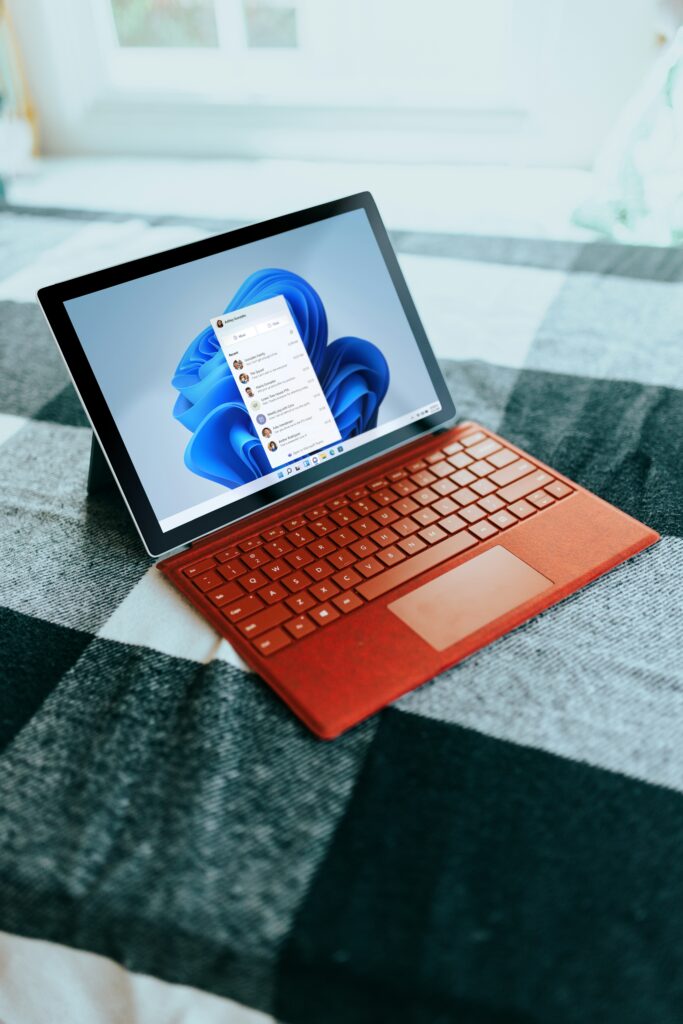
What’s also not permanently attached to the Surface Pro is its keyboard. So the device works well as a tablet without the cover, but if you want to substitute for a laptop, you need to factor in the keyboard when you’re thinking of the setup.
For Microsoft’s Surface Pro system, keyboards are available as add-ons, with the newer Flex Keyboard as an option. When you attach the keyboard to the slate of the device, it can considerably increase its usability for someone who spends their life typing, working with spreadsheets, talking on the internet or in email or runningdesktop programs.
The drawback is that the slate and keyboard setup is not exactly the same as a traditional clamshell laptop. On the desk of a conventional laptop, you can probably expect a firmer base on which to type. The strength of the Surface is its freedom and adaptability: remove the keyboard when you’re after a tablet and put it back when you want to use a notebook type device.
This point is worth mulling over before buying.
If almost all of the devices use time is spent with the keyboard attached, a normal Surface Laptop or any other typical laptop is probably a better choice by far. But for tablet and laptop tasks of roughly equal importance, the Surface Pro is far superior.
5. Ports Are Limited but Useful
The Surface Pro 11 does not try to compete with a full-size workstation in port selection.
Microsoft lists two USB-C/USB4 ports along with a Surface Connect port on the device.
Most modern users, utilizing mostly cloud storage, Bluetooth devices, USB-C hubs and wireless peripherals, will find this a perfectly sufficient set of connections.
This may not suit those with a large number of connected external devices, and those users will need to think ahead. A USB-C hub may indeed become necessary if they frequently want to use more than one or two accessory devices, storage devices, a wired network connection, a monitor, or something else.
This represents one small distinction of what makes this a tablet-first two-in-one device and not what is conventionally thought of as a laptop: the Surface Pro favors the thin and flexible docking connection over having a wide array of built in connections.
6. Battery Life Is One of the Biggest Attractions
Battery efficiency is one of the strongest arguments for the Snapdragon-powered Surface Pro 11.
Snapdragon X was made for power efficiency, and According to Microsoft’s documentation for its Arm-based Copilot+ PC “ the NPU is capable of performing appropriate AI workloads much more effectively than doing so using all the computing resources only on the CPU or GPU .” The “true” battery life would depend entirely on how you were using the machine. In tests on the Surface Pro 11, for example, we got someplace between eight and 11 hours in typical everyday use, although heavy tasks and Video Calls could bring battery life down considerably – as can be seen when viewing manufacturer estimates.
(Screen brightness, browser pages, Video Conferencing, Background tasks, periphals you have connected to, power modes and workload can influence what real-world Battery Life can be achieved.)
If battery life matters more when you’re on the go, then the energy efficiency of this Snapdragon setup comes with distinct benefits, but it can be a lesser benefit if you regularly have access to power.
7. Storage and Memory Deserve More Attention Than They Usually Get
While not always the case for many, it’s easy to get frustrated by an otherwise premium two-in-one because its RAM or storage options don’t suit a person’s workload. Microsoft’s Snapdragon-powered Surface Pro comes configured with 16GB or 32GB LPDDR5x and you can opt for 256GB, 512GB, or 1TB Gen 4 SSD configurations among the listings. (256GB is likely to be enough if you’re just writing documents and jumping between one or two browser tabs.
For heavy tab users running lots of programs, more RAM probably wouldn’t go amiss.
Storage, by the same measure, depends on use.) Someone who spends a lot of time cloud storing their work may be fine with less storage. Work with large photo, video, and other creative projects, a number of local virtual machines, or a significant amount of locally stored content, will certainly appreciate more than 256 gigs.
The important takeaway?
Buy with the workload in three or so years, not just the one you have today.
8. The Surface Pro 11 Is Not Primarily a Gaming Machine
But it’s something a buyer looking at the Snapdragon X Elite processor and thinking a device running this chipset will immediately be adept at demanding gaming may not readily understand.
The Surface Pro 11 employs integrated graphics, not a dedicated gaming GPU, andWhile it can play games, compatibility and performance simply don’t match the level of those found with systems featuring a dedicated NVIDIA or AMD graphics chip.
It also involves an Arm compatibility issue. As independent benchmarks have shown, gaming is one of the disciplines in which Windows on Arm has a weakness.
Cloud gaming can bring the Surface Pro 11’s value for entertainment to a higher plane, but it’s not the same as running heavy PC games on the native system.
If you’re going to use a computer primarily for school or work and play occasional casual games, this probably won’t bother you. But it doesn’t make it any less of a gaming computer.
9. Repairability Has Improved
Repairability is an area where the Surface Pro line has changed in a meaningful way.
Microsoft states that it has designed the 11th Edition with better serviceability, and the company said that parts can be replaced through service providers and in some instances by knowledgeable persons. Supply will differ by location and product. This matters – not only due to the fact that two-in-one slates have generally been challenging to support.
Microsoft business IT resources already document components that can be replaced, like the display assembly, SSD, battery, thermal module, main board, motherboard, kick stand, cameras, and the speakers, along with other such parts of the respective configuration.
This isn’t implying it opens the door for DIY-ers, because all it means to you is increased device serviceability overall. In the first instance opening and supporting such a 2 in 1 may take specialized gear, knowledge and processes yet this may provide the devices longevity within its usage lifespan.
Who Should Buy the Microsoft Surface Pro 11?
The Surface Pro 11 makes most sense for people for whom you can really justify bringing tablet mobility to bear for the sake of Windows productivity. Where this especially applies, it’s students, road warriors and writers and consultants for business users, and for creatives or frequent travelers where drawing a diagram is natural via touch or pen. It also works fine as your sole computer used for meeting room hopping, the airport lounge, note-taking, productive desk work, and the occasional streaming binge. For this Snapdragon Surface Pro 11 model, the strongest argument becomes one using a predominantlymodernapplication stack, which means it runs the OS’s Windows on Arm support directly or emulates gracefully.
Who Should Consider Something Else?
The Surface Pro 11 becomes less attractive when compatibility is the central requirement.
Windows devotees. A Windows purist who relies heavily on dated Windows apps, exotic peripherals, specialized drivers, many of your top industry-standard applications or have some legacy local computer games will want to check if they’re compatible before ordering a model running on Snapdragon. A traditional laptop can even make more sense If you don’t use your device in tablet mode very often.
The detachable kickstand and keyboard are what the Surface Pro and 2-in-1 category is all about: If you are likely not to utilize any of that flexibility in tablet mode or don’t think that the utility is worth the added price on top of the machine, then a conventional notebook or Laptop may be a far more convenient arrangement.
As can those individuals requiring a robust arrangement of ports which tend to proliferate more widely upon a somewhat larger chassis.
Snapdragon or Intel: Which Direction Makes Sense?
Processor selection should be driven by workflow, not what sounds newer.
The Snapdragon line offer the most direct link to the Microsoft Copilot+ PC effort and Windows-on-ARM efficiency; the business config of the Intel, with its Core Ultras and Intel AI Boost NPUs, has documentation specifying 40 or 48 TOPS depending on which processor it’s based upon.
This makes Intel particularly relevant for businesses buying-in, for whom pure Windows compatibility, or their corporate software’s needs to be verified with due care.
With consumers, availability differs by market and configuration, always try to verify on the specific model number before buying.
A Smarter Way to Evaluate the Surface Pro 11
Instead of asking ‘Is the Surface Pro 11 ‘good?’ the more relevant question is if you are comfortable with its trade-offs.’ Start with the software-list all applications you’ll use more than weekly and check for Windows-on-ARM compatibility if selecting a Snapdragon model.
Then decide if you’ll really use the tablet mode.
If reading, drawing, scribbling on documents, browsing casually, or taking handwritten notes is a frequent activity, the Surface design has more appeal. Finally, factor in costs for a keyboard and potentially a Surface Pen or a USB-C hub, rather than comparing the tablet on price alone, and choose memory/storage according to your anticipated workload, not current minimums.
That approach gives a much clearer picture than comparing processor names alone.
Final Verdict on the Microsoft Surface Pro 11 Copilot+ PC Tablet
The Microsoft Surface Pro 11 Copilot+ PC tablet is best understood as a flexible Windows computer rather than simply a tablet with a keyboard attached.
The highlights really are the touch sensitive display, the kickstand form, new options for processors, the great portability, the addition of the Copilot+ feature, and the versatility of transitioning between a tablet and laptop experience. The hardware specifications are what Microsoft has documented about the hardware – this includes the 13-inch format, theUSB-C/USB4 ports, the Snapdragon and the Intel option, and how repairability on the platform is in development.
The main caveats really come with the compatibility issues software runs into on the Snapdragon model. It has gotten better, but not all of the applications that you need or games you want will function quite like their traditional x86 alternatives. Actual tests indicate that these compatibility concerns should be treated as a concrete purchase decision, rather than simply a minor point.
When that tradeoff really hits home, though it is incredibly attractive. For those users who just need an incredibly light, all-in-one device that covers note taking, meeting attendance, browsing, entertainment and more on a touch screen, and maybe evensome casual creative work, the Surface Pro 11 can fulfill nearly all these roles simultaneously.
However, users who rely heavily on compatibility issues that run in the x86 PC’s, or needs that demand more extensive port selection or integrated graphics power for gaming can benefit from other options.
In the end, the success of the Surface Pro 11 depends on its viability as a singular piece of technology-the tablet, and the Windows PC- all combined. This is a great reason to buy this device, and it is as plain as possible when it should become your PC.
Frequently Asked Questions
1.Is the Surface Pro 11 a tablet or a laptop?
This two-in-one PC comes with the Windows OS in a design which somewhat looks like a tablet. As the display is integrated with the computer unit within the tablet’s shell , with an attachable keyboard, a laptop-mode working can thus be obtained.
2.Does the Surface Pro 11 support Copilot+ PC features?
Yep. Any supported Surface Pro 11 configuration is Copilot+ PCs because the devices contain the NPU necessary for Copilot+ on supported surfaces as per Microsoft’s specs. The available AI capabilities might differ across supported software configurations, settings, and geographical regions.
3.Is the Surface Pro 11 good for college students?
This device could work wonders for you if the portability, touch screen, taking down notes, browsing web, Micorsoft 365, on-site video conferencing, AND a removeable key-board matters. If you run professional engineering/scientific/older windows apps on your devices then before picking Snapdragon check them all.
4.Can the Surface Pro 11 replace a laptop?
In some productivity scenarios – it is as capable a productive device as some computers. Provided you add one or more external peripheral with some sort or connectivity you can use it as a laptop with respect to writing, internet surfing,video chat,file managing and most office work it is really an interesting devices and an alternative to a laptop to some.
5.Is the Surface Pro 11 good for gaming?
It is not designed with gaming as its core focus. With Windows on ARM to consider and the on-board graphics, this will not cope as well with intensive PC gaming as a more portable PC that has a separate graphics card.
6.Does the Surface Pro 11 have an OLED display?
These vary; some of these configurations include an OLED display where other use an LCD one. The platform is listed by Microsoft as having a 13 inch PixelSense Flow display; specifications depend on the configuration.
7.Can the Surface Pro 11 be repaired?
For instance Microsoft is offering an 11th Ed, which is more repairable and they are supplying information, repair procedures and replacement component data, however the details of where this info or support/component are available varies by component, market, configuration, and by service provider.
Conclusion
The Microsoft Surface Pro 11 Copilot+ PC Tablet is a strong choice for people who want the flexibility of a tablet without giving up the productivity of a full Windows PC.A high-resolution touch display, a detachable keyboard design and new processors are very practical for students, professionals, frequent travelers or any user who enjoys switching between different modes of use.
Essentially, the main choice is dependent on your current workflow. Snapdragon versions of the Pro 11 provide an efficiency and the Copilot+ features of Microsoft’s newer generation of Windows machines and this aspect remains something to think about if you’re tied to older or third party software. Keyboard configuration, storage, memory and the choice of display panel must also be kept in consideration before purchasing.
If what you truly need is both a portable device that can be used in tablet format, combined with high productivity in a laptop format, the Surface Pro 11 is well considered. It may not replace all forms of computing, such as a gaming PC or a powerful desktop for expandable workstations, but for general Windows computing and mobile computing needs, it’s a strong candidate.